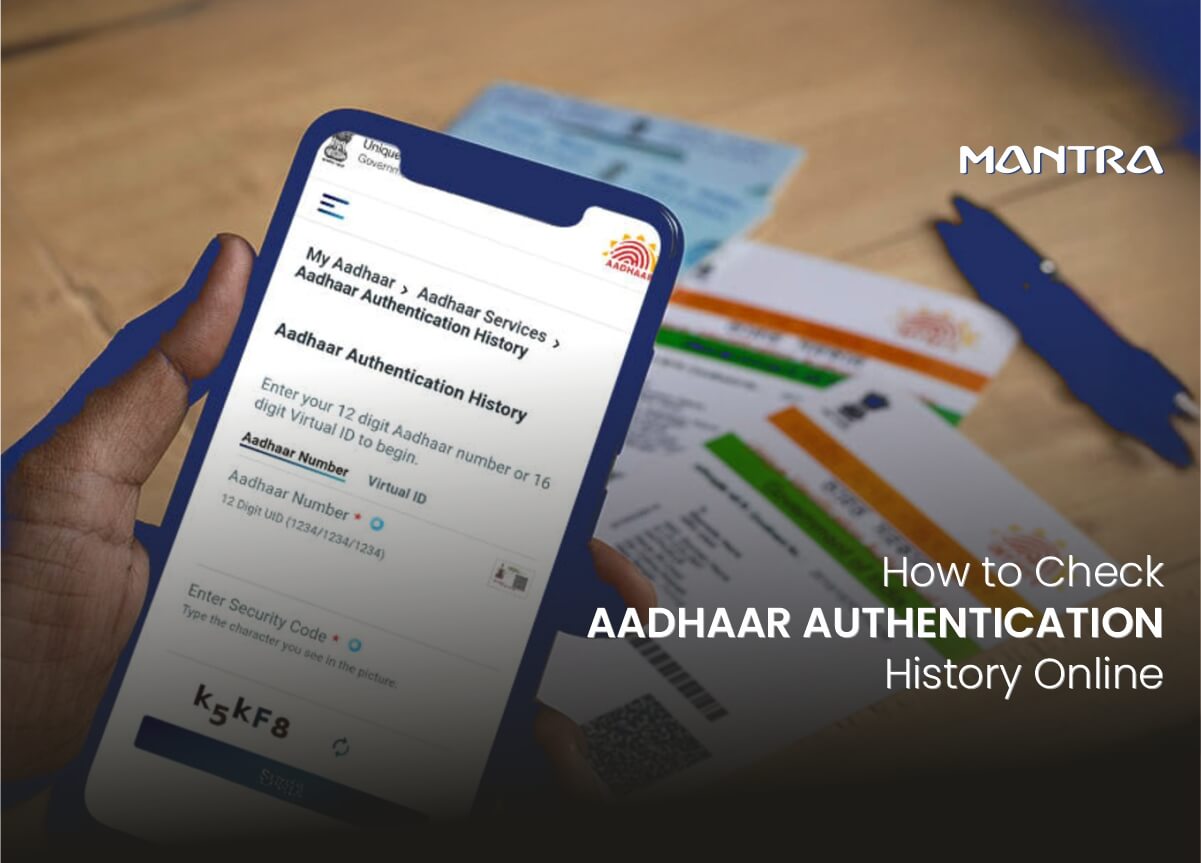
TL;DR - Quick Answer
Aadhaar authentication history is a log of every time your Aadhaar number was used to verify your identity - by a bank, telecom company, government scheme, or any other authorised agency. You can check it for free on the UIDAI website (uidai.gov.in) under My Aadhaar > Aadhaar Services > Aadhaar Authentication History. You need your Aadhaar-linked mobile number to receive an OTP. You can view up to 50 records from the past 6 months. If you spot anything you did not initiate, report it to UIDAI immediately at 1947 or help@uidai.gov.in.
Your Aadhaar number is connected to your bank account, mobile SIM, PAN card, government benefits, and dozens of other services. Every time one of those connections is verified, UIDAI logs it. That log is your Aadhaar authentication history.
Checking it regularly is one of the simplest things you can do to catch unauthorised use of your identity early. This guide covers everything you need to know - what the history shows, how to read it, and what to do when something looks off.
By the Numbers: How Much Aadhaar Is Used
| Metric | Figure | Source |
|---|---|---|
| Total cumulative authentications (as of April 2025) | 15,011+ crore (150 billion+) | UIDAI / PIB |
| Authentications in FY 2024-25 | 2,707+ crore | Ministry of Electronics & IT |
| Authentications in March 2025 alone | 246.75 crore | UIDAI Press Release |
| Authentications in August 2025 | 221 crore (10.3% YoY growth) | UIDAI / PIB |
| Authentications in November 2025 | 231 crore (8.47% YoY growth) | UIDAI |
| Face authentication transactions (FY 2024-25) | 100+ crore | UIDAI |
| e-KYC transactions (March 2025) | 44.63 crore (6% YoY growth) | UIDAI |
| Total e-KYC transactions to date | 2,356+ crore | UIDAI |
| Active Authentication User Agencies (AUAs) | 524 | UIDAI Dashboard |
| Authentication Service Agencies (ASAs) | 40 | UIDAI Dashboard |
Sources: PIB press releases, UIDAI official website, Ministry of Electronics and IT statements (2025)
What Is Aadhaar Authentication History?
Aadhaar authentication history is a record that UIDAI maintains every time your 12-digit Aadhaar number is used to verify your identity. Think of it as a statement - similar to your bank statement, but for identity verification rather than money.
Each entry in the history tells you when authentication happened, what type it was (biometric, OTP, or demographic), whether it succeeded or failed, and which Authentication User Agency (AUA) - the bank, telecom provider, or government department - requested it.
UIDAI introduced this feature to give Aadhaar holders full visibility into how their identity is being used. If a transaction appears in your history that you did not personally initiate, that is a signal to act quickly.
What Information Does Each Authentication Record Show?
| Field | What It Means |
|---|---|
| Date and Time | Exact timestamp of the authentication attempt |
| Authentication Type | Whether it was Demographic, Biometric, OTP, Face, or a combination |
| Response Code / Status | Success (Y) or failure (N), with error codes for failed attempts |
| Error Code (if failed) | Specific reason why the authentication failed |
| Transaction ID | Unique reference number for that transaction |
| Authentication User Agency | The entity (bank, telecom, govt department) that requested authentication |
Note: UIDAI does not share your demographic or biometric data in the response to service providers. The system only returns a Yes or No confirmation.
The 6 Types of Aadhaar Authentication You Will See in Your History
When you view your Aadhaar authentication history, you can filter by authentication type. UIDAI allows six types:
-
Demographic Authentication
This matches your personal details - name, date of birth, address, gender - against what is stored in UIDAI's Central Identities Data Repository (CIDR). It does not involve biometrics. Banks and survey agencies often use this for lower-risk verification steps.
-
Biometric Authentication
Your fingerprints or iris scan are matched against the biometric data stored in CIDR. This is used heavily in government welfare programmes like PDS (Public Distribution System) and NREGA to confirm beneficiary identity at the point of service.
-
OTP-Based Authentication
A one-time password is sent to your Aadhaar-registered mobile number. You enter it to confirm identity. This is the most common type you will encounter when opening a bank account online or completing a telecom KYC.
-
Face Authentication
Introduced by UIDAI in 2018, face authentication uses AI/ML-based facial recognition matched against the photograph stored in UIDAI's database. It is a touchless alternative to fingerprints - useful when fingerprint quality is poor. In March 2025 alone, over 15 crore face authentication transactions were completed. UIDAI received the Prime Minister's Award for Excellence in Public Administration in 2025 under the Innovation category specifically for this feature.
-
Demographic + OTP (Multi-Factor)
A combination of demographic details and OTP verification used when higher assurance is needed.
-
Biometric + OTP (Multi-Factor)
The most secure combination - both your biometrics and an OTP are verified together. Banks and financial institutions sometimes require this for high-value transactions.
| Auth Type | Data Used | Common Use Case | Security Level |
|---|---|---|---|
| Demographic | Name, DOB, address, gender | Low-risk verifications, surveys | Basic |
| OTP | Mobile-linked OTP | Online KYC, bank account opening | Medium |
| Biometric (Fingerprint/Iris) | Fingerprint or iris scan | PDS, NREGA, SIM issuance | High |
| Face | Facial photograph | Digital Life Certificates, pensions | High |
| Demographic + OTP | Personal info + OTP | Government scheme enrolment | Medium-High |
| Biometric + OTP | Biometrics + OTP | Banking, financial services | Very High |
How to Check Your Aadhaar Authentication History Online (Step-by-Step)
The process takes about 2-3 minutes. You need your Aadhaar number (or Virtual ID) and access to your Aadhaar-registered mobile number to receive the OTP.
Method
UIDAI Website (Recommended)
| Step | Action | What to Look For |
|---|---|---|
| Step 1 | Go to uidai.gov.in | Official Government of India website |
| Step 2 | Click 'My Aadhaar' in the top menu | Drop-down menu appears |
| Step 3 | Under 'Aadhaar Services', click 'Aadhaar Authentication History' | You will be redirected to a new page |
| Step 4 | Enter your 12-digit Aadhaar number or 16-digit Virtual ID | Type carefully - no spaces needed |
| Step 5 | Enter the security/captcha code shown on screen | If unreadable, click 'Try Another' |
| Step 6 | Click 'Send OTP' | OTP arrives on your registered mobile |
| Step 7 | Enter the OTP on the next page | Valid for a limited time |
| Step 8 | Choose Authentication Type, Date Range, and Number of Records | You can select up to 50 records; date range cannot exceed 6 months |
| Step 9 | Click 'Submit' | Your authentication history appears on screen |
Method
mAadhaar App
If you have the mAadhaar app installed on your smartphone, you can check your authentication history directly from the app. Open the app, go to the Aadhaar Services section, and select 'Aadhaar Authentication History'. The same OTP-based verification applies.
What Is the Password to Open the Authentication Report?
If the system asks for a password to open or access your authentication history report, the password format is: the first four letters of your name in CAPITAL LETTERS followed by your year of birth (YYYY). For example, if your name is Priya and you were born in 1990, the password would be PRIY1990.
Key Limits You Need to Know
| Limitation | Detail |
|---|---|
| Maximum records per query | 50 transactions at a time |
| Maximum lookback period | 6 months from the current date |
| Mobile number requirement | Your mobile must be linked to Aadhaar to receive the OTP |
| Download option | Currently, UIDAI does not allow you to download the authentication history |
| Cost | Free - no charges for checking authentication history |
| Failed attempts shown | Yes - failed authentications are shown along with the error code and reason |
Why Checking Your Aadhaar Authentication History Matters
With over 15,000 crore Aadhaar authentications having taken place since the system launched, the scale of Aadhaar-linked activity in India is enormous. That makes monitoring your personal history more important, not less.
-
Catch Identity Fraud Early
If someone has accessed your Aadhaar number through a data breach or phishing, they could attempt to authenticate it for SIM swaps, loan applications, or benefit diversion. Your authentication history will show these attempts. Spotting an unfamiliar transaction early limits the damage.
-
Verify You Are Getting Your Benefits
Government welfare programmes like PDS rations and NREGA wages use Aadhaar biometric authentication to confirm delivery. If authentication records for a scheme you are enrolled in are not appearing, it could indicate a problem with your benefit delivery.
-
Monitor Which Agencies Are Accessing Your Aadhaar
You have a right to know which organisations have verified your identity. If an unknown agency appears in your history, you can contact UIDAI to report it or reach out to that Authentication User Agency directly.
-
Maintain Your Privacy
The Aadhaar Act, 2016 and UIDAI's regulations give you rights around how your data is used. Regularly checking your authentication history is part of exercising those rights.
What to Do If You Find Suspicious Activity in Your Aadhaar Authentication History
Found a transaction you did not initiate? Do not panic - here is what to do:
step
Note the Details
Write down the date, time, authentication type, transaction ID, and the name of the Authentication User Agency shown for the suspicious entry.
step
Lock Your Biometrics Immediately
UIDAI lets you lock your biometric data so no further biometric authentication can happen without your explicit unlocking. Do this via uidai.gov.in under 'Lock/Unlock Biometrics' or through the mAadhaar app. This is a free service and takes effect immediately.
step
Lock Your Aadhaar Number (Optional)
You can also lock your Aadhaar number itself. When locked, no authentication using your Aadhaar number is possible - you can still authenticate using a Virtual ID (VID) instead. This is a more aggressive step but worth considering if fraud is confirmed.
step
Report to UIDAI
Contact UIDAI through these official channels:
Toll-free helpline: 1947 (available Mon-Sat)
Email: help@uidai.gov.in
Online grievance: uidai.gov.in > Grievance Redressal > File Complaint
Contact the Authentication User Agency directly for clarification on that specific transaction
Common Aadhaar Authentication Errors and What They Mean
Your Aadhaar authentication history also shows failed attempts, along with error codes. Here are the most frequent ones:
| Error Type | Likely Cause | What to Do |
|---|---|---|
| Biometric mismatch | Poor fingerprint quality, worn fingerprints, dirty scanner | Try another finger; update biometrics at an Aadhaar centre if persistent |
| OTP expired | OTP not entered within the validity window | Request a fresh OTP and enter it promptly |
| Mobile not registered | Aadhaar-linked mobile number not active or changed | Update mobile number at an Aadhaar enrolment/update centre |
| Biometrics locked | Biometric data was locked by the Aadhaar holder | Unlock biometrics via UIDAI website or mAadhaar app |
| Aadhaar locked | Aadhaar number itself is locked | Unlock via UIDAI website using Virtual ID |
| Demographic mismatch | Name/DOB entered does not match UIDAI records | Verify spelling and date format; update Aadhaar details if needed |
The Rise of Face Authentication: What It Means for Your History
Face authentication is the fastest-growing authentication type in UIDAI's ecosystem. In August 2025, face authentication transactions hit 18.6 crore in a single month, compared to just 6.04 crore during the same month in 2024 - a 3x jump year-on-year.
By November 2025, face authentication was being used for nearly 60% of Digital Life Certificates submitted by pensioners. More than 100 government and private sector agencies now use face authentication to deliver services.
What this means for you: if you are a pensioner, a welfare beneficiary, or use services from a bank or telecom that has adopted face authentication, you may increasingly see face-based transactions appearing in your Aadhaar authentication history. This is normal and expected.
Who Can Request Your Aadhaar Authentication? Understanding AUAs and ASAs
Not every organisation can just authenticate your Aadhaar. UIDAI operates a controlled ecosystem:
| Entity | Role | Examples |
|---|---|---|
| Authentication Service Agency (ASA) | Connects to UIDAI's CIDR directly and provides secure authentication pipe | NSDL, CDSL - only 40 active |
| Authentication User Agency (AUA) | Uses ASA's infrastructure to offer authentication to end users | Banks, telecom providers, government departments - 524 active |
| Sub-AUA | Accesses authentication through an existing AUA | District-level government agencies, small service providers |
| KYC User Agency (KUA) | Specifically licensed to receive demographic data via e-KYC | NBFCs, insurance firms, fintech companies |
Every authentication request is digitally signed, and UIDAI logs all requests and responses. Each entry in your authentication history corresponds to one of these authorised entities making a verified request - not an anonymous third party.
Quick Reference: Aadhaar Authentication History at a Glance
| Question | Answer |
|---|---|
| Where to check? | uidai.gov.in > My Aadhaar > Aadhaar Services > Aadhaar Authentication History |
| Also available on? | mAadhaar app (Android and iOS) |
| What do you need? | Aadhaar number or VID + OTP on registered mobile |
| How far back can you check? | 6 months |
| Max records per query? | 50 |
| Is it free? | Yes |
| Can you download it? | No - view only |
| Report suspicious activity to? | 1947 (toll-free) or help@uidai.gov.in |
| Report password for history? | First 4 letters of name (CAPS) + year of birth e.g. RAJE1985 |
Final Takeaway
Aadhaar authentication history is one of the most underused privacy tools available to Indian residents. The process takes less than 3 minutes, it is free, and it gives you a clear record of every identity verification linked to your Aadhaar number.
With Aadhaar authentication crossing 15,000 crore total transactions and continuing to grow at 8-10% year-on-year, the scale of Aadhaar-linked activity will only increase. Building the habit of checking your authentication history monthly - the same way you check your bank statement - is a straightforward way to stay ahead of any identity misuse.
If anything looks off, UIDAI gives you the tools to act: lock your biometrics, lock your Aadhaar number, generate a new Virtual ID, or file a complaint. Use them.
Frequently Asked Questions
You can view a maximum of 50 records per query. These records can span up to 6 months from the current date. If you want to narrow it down, you can select a specific authentication type and a custom date range within that 6-month window.
No. A mobile number registered with UIDAI is required to receive the OTP for access. If your number has changed, you need to update it at an Aadhaar enrolment centre before you can use this feature.
Yes, completely free. UIDAI does not charge anything to check your authentication history on their website or through the mAadhaar app.
Once a month is a reasonable frequency for most people. If you have recently completed a major financial transaction - like opening a bank account, getting a new SIM, or enrolling in a government scheme - check it soon after to confirm the records match your activity.
Yes, the name of the Authentication User Agency (AUA) is shown in the record. This tells you which organisation requested the authentication. If you do not recognise the name, you can contact that agency or report it to UIDAI.
A Virtual ID is a temporary 16-digit number that maps to your Aadhaar number. You can generate one on the UIDAI website. Yes, you can enter your VID instead of your Aadhaar number when checking your authentication history. Using a VID adds a layer of privacy because you are not sharing your actual Aadhaar number.
Currently, UIDAI does not provide a download option for authentication history. You can only view it on screen during your session.
Yes. When your biometrics are locked, any biometric authentication attempt will fail - and those failed attempts will still appear in your history, along with the error code indicating that biometrics were locked. OTP and demographic authentications are not affected by a biometric lock.
For biometric or OTP authentication, no - your physical presence or registered mobile is required. For demographic authentication, the risk is slightly higher since it only needs your personal details, though agencies are still regulated and audited by UIDAI. Your authentication history is the primary way to catch any anomaly.
Comments