Key Points
Introduction
A server room can have firewalls, encrypted networks and round-the-clock monitoring. But who is checking the identity of the person walking through its door? An access-control study found that 61% of respondents had experienced tailgating or piggybacking when someone follows an authorised employee through a secured entrance. With 20% of surveyed data centre operators reporting outage costs exceeding $1 million, controlling who enters these facilities deserves serious attention.
We have more access points, more shared colocation spaces, and stricter compliance rules than ever before. Yet, many facilities still try to protect their most sensitive assets with a basic plastic card reader. Combining facial recognition with an encrypted smart card gives you a practical, enterprise-grade barrier that actually solves these modern IT challenges.
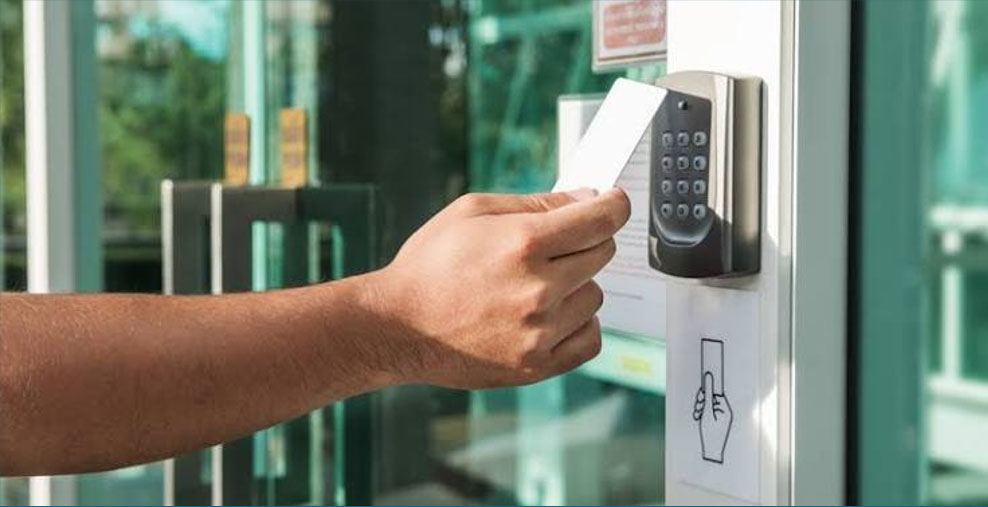
Access control systems most commonly use contactless cards and magnetic stripe cards.
Why Server Rooms Need a Different Kind of Security
In the 1990s, microcomputers came on the scene, drastically reducing the amount of space needed for IT operations. These microcomputers that began filling old mainframe computer rooms became known as “servers,” and the rooms became known as “data centres.”
Today, a room full of servers in a data centre often have multiple floors, shared spaces, and remote network closets. From rack-mount servers, to blade servers and mainframes, each data centre today typically contains at least 5,000 servers and miles of connection equipment, and they can sometimes be as large as 60,000 square feet.
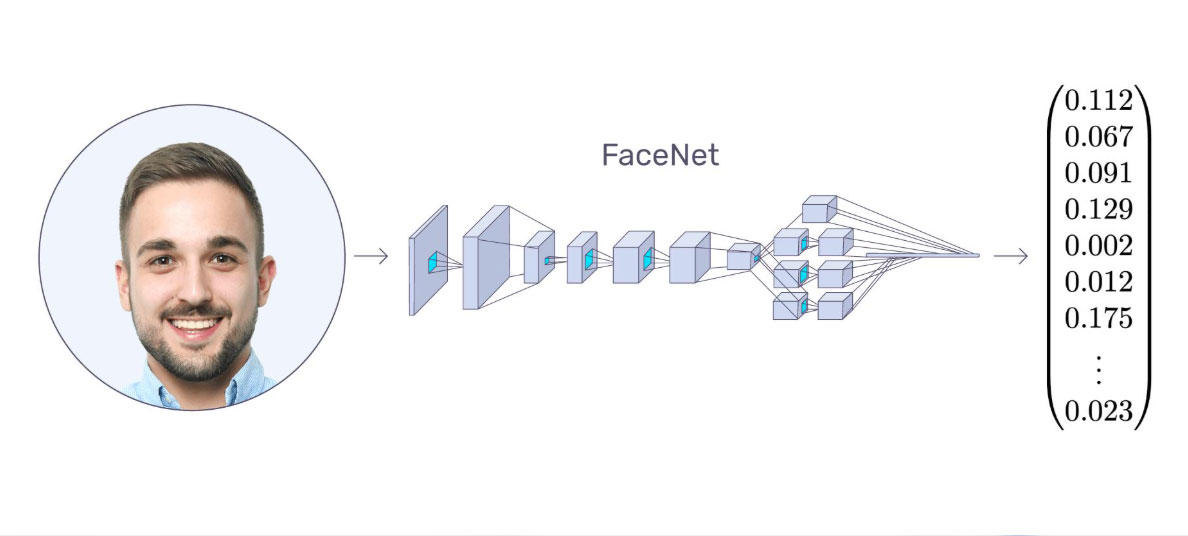
FaceNet uses deep convolutional neural network to covert face images into compact 128-dimensional numerical vectors.
The Problem with Cards and PINs
According to a recent access control report, one in three organisations still support low-frequency proximity cards. The problem here is that a card proves someone has a card, and a PIN proves someone knows a number. Neither method proves who is actually standing at the door.
A fingerprint or a face cannot be borrowed, shared, or left in someone else's pocket. When you rely solely on a card, your access control logs only tell you that a credential was used. When you use biometrics, your logs tell you exactly who used it.
So, one more step has been added to the initial one and that comes after the user taps their smart card and the card tells the system exactly who is trying to enter. The camera now only has to look at the person standing there and verify that they match the specific profile linked to that card. This liveness detection stops someone from trying to fool the camera with a printed photo or a phone screen.
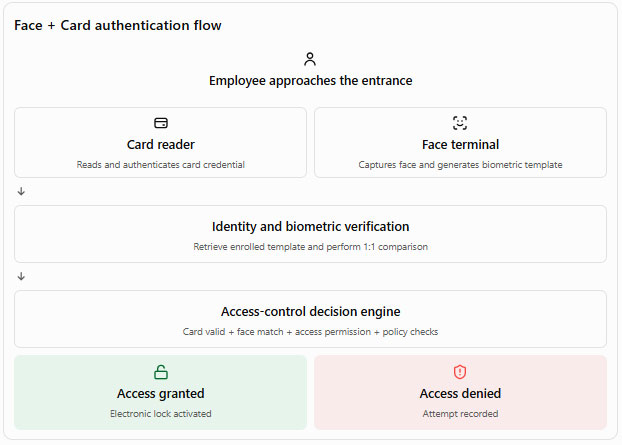
How Face + Card Authentication Works in Physical Access Control
To combine both face authentication and card access in the server room, one has to link the employee ID and card credential together after enrolling a face template. The card does not have facial information but a unique credential which is mapped to an employee account.
There is another way that is even more interesting where the employee's facial biometric template is securely stored on a smart card, rather than being retrieved from a central database. This is called match-on-card where a neural network extracts facial features and generates a numerical biometric template.
Moreover, whenever someone’s face is enrolled into a system, the facial recognition system converts every pixel of the face into binary digits. These digits can be stored later on a card. So, a different eye position or distance even the nose structure or mouth position is turned into a number – a unique one which helps the system to align the face better when shown again.
Bottom Line
Combining a proximity card with facial authentication adds an identity check to the existing access-control process. A dedicated management platform can maintain entry records, monitor access attempts, manage permissions and alert administrators to unauthorised activity. Fire detection, suppression, electrical protection and temperature monitoring remain essential to protecting the equipment itself. Biometric access control addresses the human side of that responsibility.
Comments