Key Points
The Reality of Aadhaar Spoofing
The legacy L0 devices essentially just took a high-resolution picture of a fingerprint and sent it to a computer or phone to be encrypted. They were not built to tell the difference between a real, living finger and a synthetic fake. Fraudsters would lift fingerprints from property documents or public surfaces, make a mould, and cast it in wax or silicone.
When they pressed this fake print onto an L0 scanner, the device simply read the correct ridge patterns and gave the green light. On top of that, because the data was encrypted on the host device - like your PC or mobile phone - rather than inside the scanner itself, it created a small window where hackers could sometimes intercept the data right as it passed through the cable.
How Liveness Detection Operates in the Background
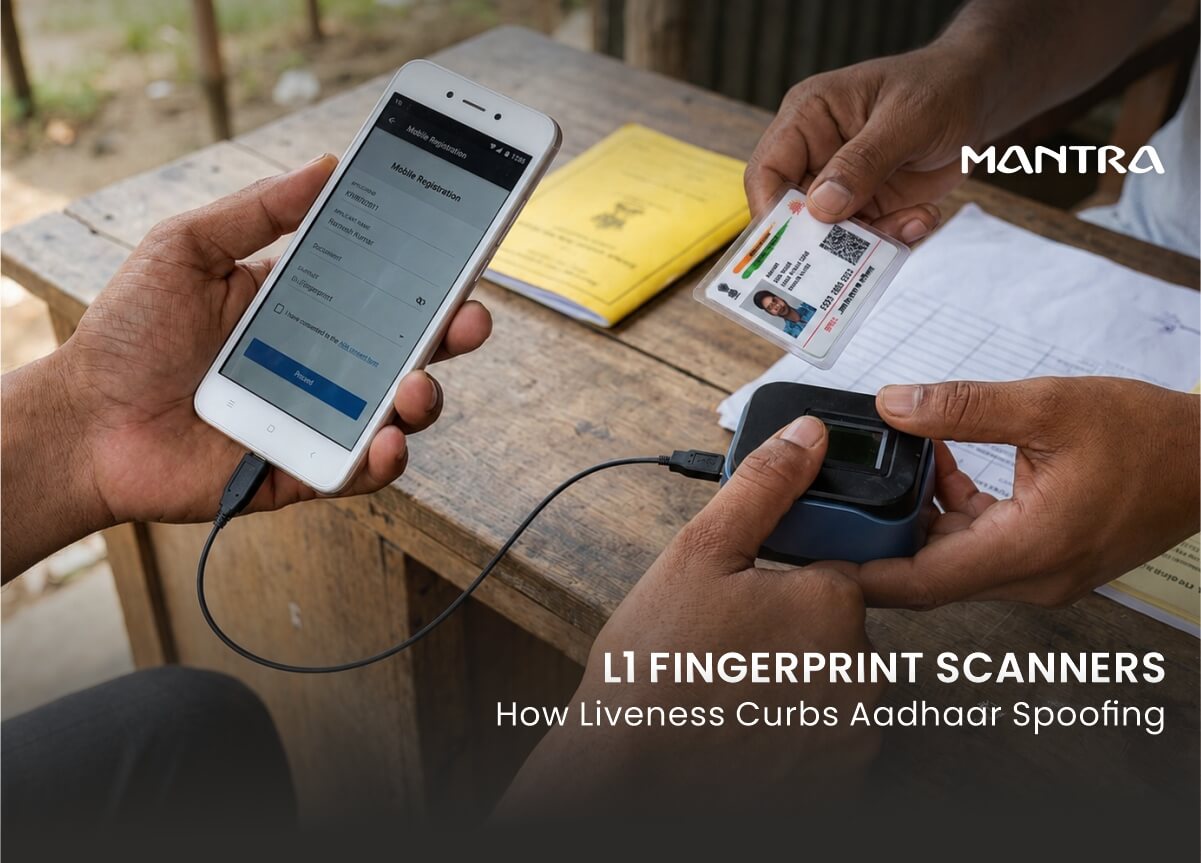
The move from L0 to L1 is a complete hardware upgrade designed to handle security at the physical level. The biggest change is the addition of liveness detection. In an L1 device, liveness detection is an automated background process that ensures the scanned biometric trait comes from a live, physically present human rather than spoofed material or a replay attack.
When you or your customer places a finger on an L1 scanner, the software on your screen usually runs through a specific sequence of real-time status indicators. Here is what is actually happening inside the hardware during those steps:
Capturing
During this initial phase, the device sensor is actively reading the ridge and valley patterns of the finger. But unlike older models, L1 optical scanners use different wavelengths of light to look slightly below the skin, while capacitive scanners measure the electrical conductivity of the finger.
Validating Finger
This is where the liveness check happens. The internal L1 firmware runs its anti-spoofing algorithms to verify blood flow, skin impedance, moisture, and sub-surface optical traits in a matter of milliseconds. A silicone mold only has surface features and acts as an electrical insulator. Because it lacks the subdermal tissue or electrical capacitance of a real finger, the scanner catches the mismatch and instantly rejects it.
Preparing Data
Once the device confirms the finger is attached to a living person, it moves to the encryption phase. The device cryptographically signs the data packet and generates a Personal Identity Data (PID) block for secure transmission.
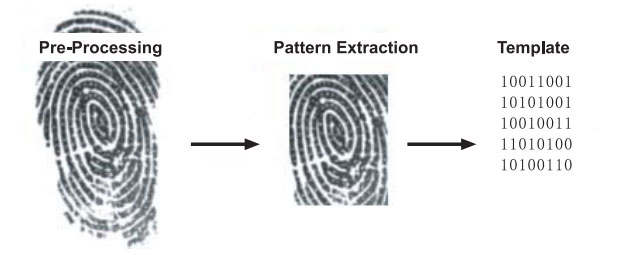
Fingerprint characteristics includes sub-areas of certain interest including ridge thickness, curvature, or density.
Hardware Encryption at the Source
That final step - preparing the data - is just as critical as the liveness check.
With the old L0 scanners, the fingerprint image traveled from the scanner to your phone or computer through a USB cable before it was encrypted. L1 fingerprint scanners fix this by encrypting the data right inside the hardware using a secure chip built directly into the scanner.
By the time the PID block travels down the USB cable to your phone or computer, it is completely locked down. This makes it incredibly difficult for anyone to intercept or tamper with the data, keeping the entire transaction secure from the source.
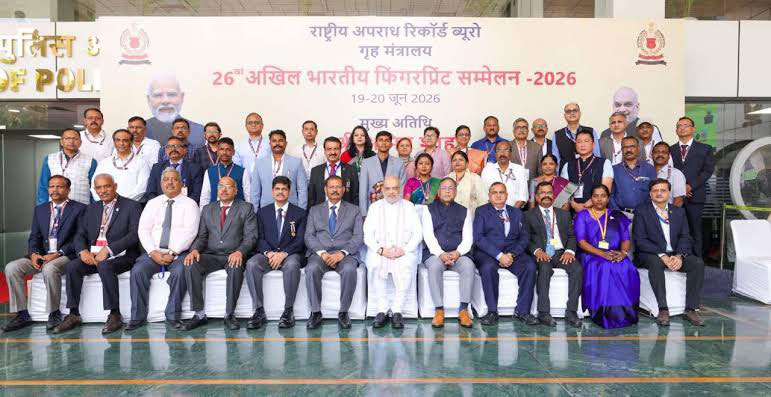
The 26th All India Fingerprint Conference launched NCRB-Abhigyan, CrPI, e-Forensics 2.0, and e-Prosecution 2.0 to strengthen India's Integrated Criminal Justice System (ICJS).
The Broader Push for Scientific Evidence in India
It is helpful to view this transition to L1 not just as a banking rule, but as part of a massive national shift toward verifiable, scientific digital evidence.
The same liveness and encryption standards securing your AePS transactions are now becoming the baseline for national security. For example, at the recent 26th All India Fingerprint Conference in mid-2026, the Home Ministry strongly emphasized a move toward scientific evidence-based investigation. They launched several integrated applications - like NCRB-Abhigyan for field fingerprint matching, the CrPI application for multi-modal biometrics, e-Forensics 2.0, and e-Prosecution 2.0. The goal of these systems is to turn data from the National Automated Fingerprint Identification System into actionable, court-admissible intelligence.
Similarly, at the Global Fintech Fest 2026, UIDAI launched the Aadhaar Face Authentication SDK and Sandbox. This allows banks and government departments to test and deploy face authentication more smoothly, proving that the ecosystem is rapidly expanding beyond just fingerprints into highly secure, multi-modal liveness checks.
The L1 mandate is simply the commercial side of this exact same security framework. The government is ensuring that whether a fingerprint is scanned at a crime scene or a local banking correspondent point, the hardware capturing it is completely tamper-proof.
Why Software Patches Cannot Upgrade an L0 to an L1
We frequently get questions from customers asking if there is a software update to turn a Mantra MFS100 into an L1 device. The straightforward answer is no, because the differences are entirely physical.
An L0 device simply does not have the internal secure chip required to generate that encrypted PID block on its own, and it lacks the specific hardware sensors needed to run the liveness checks during the "Validating Finger" stage. If you are seeing errors like "Error Code 999" or "RD Service Not Ready" on an older L0 model, it usually means UIDAI has blocked the device from the network. The only practical solution is to replace the old hardware with a certified L1 device.
Finding the Right L1 Scanner for Your Setup
If you need to upgrade your setup to meet these new standards, here is a quick overview of what we offer at Mantra Softech for different types of work environments.
The Mantra MFS110
This is a reliable choice for Common Service Centers and banking correspondents, serving as the direct replacement for our older MFS100 model. It has a durable optical sensor and holds up well against dust and water. It connects easily to laptops and Android phones via standard USB and Type-C connections, making it highly practical for daily field transactions.
The Mantra MARC11
If you are working in a more secure enterprise environment or handling government direct benefit transfers, the Mantra MARC11 is a great option. It uses a capacitive sensor, which is highly accurate at detecting electrical liveness and skin impedance. It is a good fit for organizations that need strict compliance and very high accuracy for their daily operations.
Comments